Posts

Showing posts with the label filing retun tax

Details of transactions exempted from withholding tax

According to budget commentary issued by PwC A F Ferguson, as part of reforms for ease of doing business, the government has proposed to withdraw following withholding tax provisions, which in government’s view were not generating enough revenues: 01. Section 148A – Tax on local purchase of cooking oil or vegetable ghee by certain persons Two percent tax was chargeable on the purchase of locally produced edible oil by the manufacturers of cooking oil or vegetable ghee. 02. Section 156B – Withdrawal of balance under Pension Fund A pension fund manager making payment from individual pension accounts, maintained under any approved Pension Fund, was required to deduct tax at the average rate of tax as calculated in section 12, from the amount so withdrawn by the pensioner before or after his retirement. 03. Section 235B – Tax on steel melters and composite units Tax under this section was required to be collected from every steel melter, and composite steel units, registered f...

FBR reconstitutes licensing committee for tracking transit, transshipment cargo

ISLAMABAD: Federal Board of Revenue (FBR) has re-constituted committee for grant of license for tracking transit and transshipment cargo. The FBR on Wednesday issued SRO 542(I)/2020 dated June 08, 2020 to amend Tracking and Monitoring of Cargo Rules, 2012 The reconstitution of committee shall comprise of Director General of Transit Trade (Chairman), Director Transit Trade (I-IQs), Karachi, Director Transit Trade (Peshawar), Director Transit Trade (Quetta), Director Reforms and Automation (Karachi), Collectors of Customs (Enforcement and Compliance, Karachi), (Appraisement and Facilitation, Port Muhammad Bin Qasim, Karachi), (Appraisement and Facilitation-East, Karachi), (Appraisement and Facilitation-West), Karachi, and Director of Intelligence and Investigation, FBR, Karachi or any other authority designated by the FBR Headquarter. As per amendment the project director shall be Director (HQs), Directorate General of Transit Trade. Previously, the project director was Collector,...

Who is Obligated to Get Registered for Sales Tax?

Image
Every person in the above-mentioned categories and who does tax-exempt activities in Pakistan is legally obliged to obtain sales tax registration. However, for tax assets granted in any tax during the last 12 months ending any tax does not exceed 10 million rupees or those used annually (telephones, gas and electricity) in the last 12 months ending any tax. do not exceed Rs. 800,000. How Can You Pay Your Tax Return ? According to the law every subscriber must submit a no later than 15 monthly installment in respect of sales made in the previous month. Every registered person is obliged to submit the forms electronically; in such case the complaint should be made by the 15th and the return may be filed on the e-portal conducted by the Federal Board of Revenue (FBR) on the 18th. Recommended Blogs How to become filer How to check NTN number How to check FBR filer status

How to pay Income Tax

Image
Logging into efile The person needs to log into efile in order to pay income tax dues. A person can log into the efile by using the same credentials that are used for iris. After logging in, the person can access the e-Payments tab. e-Payments On the e-Payments tab, one will access the Payment Pay and select the annual income return option. The resulting selection will lead you to the Evenue Pay Income page. On this page a payment receipt (PSID) will be created by: Selecting the relevant Tax Year Typing the Tax amount due Selecting the mode of payment Clicking the create button on the bottom of the page Confirm payment made by e. This will effectively build your e-Payment receipt. The e-Payment slip can be deposited at any branch of the National Bank (NBP) / State Bank (SBP). Select the nearest city where you want to apply for the payment slip from the dropdown list. Click the print button to download the PSID to your computer. Install the PSID at any branch of y...

FEDERAL EXCISE DUTY (FED) BASICS

Image
A basic understanding of Federal Excise Duty (FED) concepts would not only ensure that the tasks are performed easily but also in the prescribed manner. ADJUSTMENT deduction of amount of duty paid on goods used in the manufacture or production of other goods from the amount of duty payable on such other goods in the prescribed manner DISTRIBUTOR a person appointed by a manufacturer in or for a specified area to purchase goods from him for sale to a wholesale dealer in that area; DUE DATE in relation to furnishing a return under section 4, means the 15th day of the month following the end of the month, or such other date as the Board may, by notification in the official Gazette, specify and different dates may be specified for furnishing of different parts or annexures of the return. DUTIABLE GOODS all excisable goods specified in the First Schedule except those which are exempt under section 16 of the Act; DUTIABLE SUPPLY a supply of dutiable goods made by a manuf...

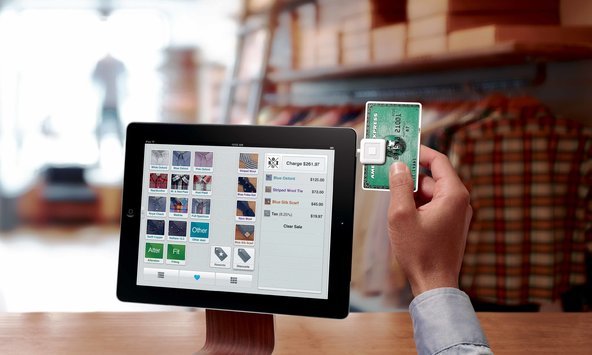
What is Point of Sale (POS) Invoicing System?

Image
It is the online real-time system used for documentation of sales which connects FBR’s system to computerized sales system if Tier-1 retailers. There is no need for retailers to purchase any machine to connect to that system as they can get connected by simply downloading an app ‘Tax Asaan App’ on their smartphones. QR code or barcode automatically gets printed on the invoice generated through the sale by the retailer. Customers can easily verify their sales tax payment by Tax Asaan App installed on their smartphones. This system will help retailers in automatic preparation of sales tax returns that will also help them to reduce their expenditures. The use of POS system will also end the periodic inspection on FBR officials. POS system is working successfully at 3824 outlets of 70 top textile and leather brands for over a year. This system has been on all restaurants in Islamabad and all shopping store chains across the country from November 2019. This app is availabl...

How to apply for NTN online

Image
You can apply for NTN through the website: https://e.fbr.gov.pk , by following steps given: Step 1: Go to https://e.fbr.gov.pk to apply for NTN Step 2: From the drop-down menu ‘e-Registration’, select new e-registration to start with a new application. Step 3: Select the application type (New Registration, Change in Particulars’ ST FED Registration, Duplicate Certificate) Step 4: Select the taxpayer type (Individual, AOP, or Company) Step 5: Enter the CNIC / NTN / Reg. Inc, according to the selected taxpayer type, Name and image character then click ok to proceed. Step 6: Already selected category will appear on the next screen (Individual, AOP, and Company). Step 7: After the completion of the online registration form, verify and submit the application if you want to apply online. To process from TFC, submit the application along with documents at our TFC counter. Step8: A token number will be assigned to the application for further processing/ approval/inquiry. N...